Waves Horizon Bundle Review
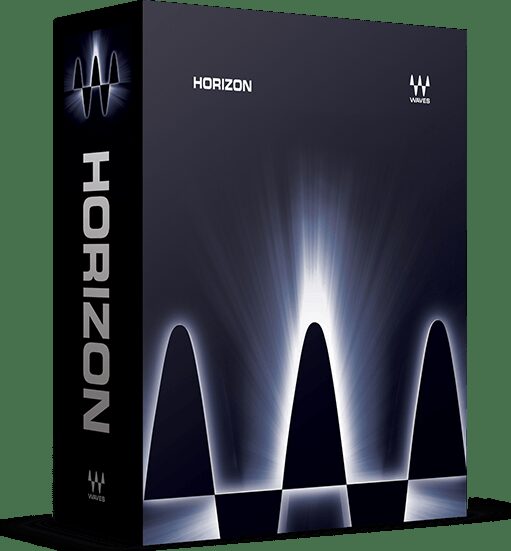
Newer is not always better. That holds for plugins too. I have always been a fan of the old school Waves plugins, and the Horizon bundle is full of those good old, robust workhorse tools. That is why I bought it.
This post contains affiliate links. It helps keep the site going. I bought the Horizon bundle myself.
Contents
- What is the Waves Horizon bundle?
- What plugins are in Waves Horizon?
- How much is Waves Horizon?
- How to install and activate Waves plugins
- Waves Update Plan explained
- Is Waves Horizon worth it?
- Conclusion
What is the Waves Horizon bundle?
Waves Horizon is a collection of audio plugins by Waves Audio, built for music production, mixing and mastering.
It includes a lot of those good old Waves plugins that I personally gravitate towards. Plugins like the S1, Trans-X and Doubler. They have always been there for me and never let me down. Horizon does not have many of the newer flashy Waves plugins, and frankly I prefer it that way.
I got mine through an upgrade deal. I already owned a bunch of the plugins, but my update plans had expired years back, so I was mostly stuck on an old version. If you are in the same position, check the Upgrades section in your Waves account before you buy anything at full bundle price.
What plugins are in Waves Horizon?
The bundle focuses heavily on the older generation of classic Waves plugins, which I think is a good thing. You can see the current plugin list on the Waves Horizon page.
My personal highlights
There are so many plugins in Horizon that your favourites will probably differ from mine. I never touch a lot of the included plugins. But there are others in there I have used consistently for almost 20 years. These are the ones I reach for.
- Renaissance Maxx. An excellent quality workhorse package for mixing and other audio work. The recent UI remake on these is spot on. I wish the rest of the older Waves plugins would get the same treatment.
- C1 Compressor/Expander/Gate. A classic workhorse. If you just need precise, clean, low-CPU compression, expansion or gating, the C1 gets it done.
- C4 Multiband Compressor. Another classic workhorse. Good precision.
- Doppler. Useful for film work. For the rest of us, it is a cool tool for experimental sound design. A lot of craziness to be had there.
- Doubler. Great for making just about anything fat and wide. It has a unique hard, solid character that I am fond of, and a ton of great presets.
- H-Comp. Good for drums, among other things. I like that you can sync the release time to the project BPM, which is great for pumping effects. I wonder why more compressors do not do that. The Punch switch is a nice touch too, it helps retain transient energy.
- L2 Ultramaximizer. Not the loudest or the most transparent limiter these days, but it has a forward sound that often works on drums and other things. Switch ARC off, set a fairly short release, hit it fairly hard. You can also use the L2 just for the dither.
- Linear Phase EQ. A good tool to have in the kit even if you do not use it often. Be careful with it, especially in the low end.
- Linear Phase Multiband Compressor. For sensitive mastering duties. Again, careful with anything linear phase. Used wrong, it creates pre-ringing, which smears transients and loses punch.
- MaxxBass. A classic plugin for enhancing the low end, the upper bass region in particular.
- MaxxVolume. The low-level compression in this one is a great trick for making things louder without crushing them. It also has high-level compression, a gate and a leveler. Great utility.
- MetaFilter. Sounds fat. Beyond that, its modulation capabilities, including a step sequencer and an envelope follower, make it great for adding subtle movement and life to boring sounds.
- MetaFlanger. Has a unique sound. I love it and have used it on a lot of tracks over the years. I even love its old school looks. Try the Mutron Biphase preset. I used that one on the original amen version of “Fall”. Those who know, know.
- PuigTec EQs. A lot of the analog emulations in the Waves catalog are dated and there are better options out there now, but this Pultec still does a great job. If you do not have a Pultec yet and you get Horizon, I do not think you need to look any further.
- Renaissance Reverb. Great reverb. 12 types to choose from, a freshly redesigned UI, tons of good presets. The redesigned Renaissance series in general is very good, user-friendly and delivers on sound quality as always. The reverb is my favourite of them.
- S1 Stereo Imager. Having control over the stereo image of your mix is important, and the S1 will help you with that.
- SoundShifter. Not a transparent pitch shifter by any stretch, and that is why I love it. It has a sound of its own that you will not get anywhere else. I have used it a ton for pitch shifting breakbeats.
- Submarine. Generates super solid sub bass based on your material. Like all plugins of this type it will not work in every situation, which is why I keep several of them, but Submarine is one of my favourites. Tune it carefully, and when it works, it works.
- Trans-X. One of the punchiest transient shapers out there. Try the Pensado 808 preset on drums. It has been my go-to for years.
- Vitamin. Used subtly, this adds nice character and brings boring material to life, especially anything live recorded.
- Vocal Rider. Prime the vocal with this first, then hit it with compression, and you are well on your way to a professional vocal sound. I like that it can record automation so you can edit the details afterward.
How much is Waves Horizon?
The list price for Horizon is high, but I do not think anyone ever pays it. It is discounted frequently. These pricing schemes are gimmicky. Companies are free to choose their strategy, and I can respect that, but as customers we just have to be aware of it.
If you already own some Waves plugins, check the Upgrades section in your Waves account. You might be able to upgrade into Horizon for a much better price. That is what I did.
If you are buying it outright, wait for a sale. Black Friday is a good time, but there are other sales throughout the year.
How to install and activate Waves plugins
https://www.youtube.com/watch?v=pw4SPZMX_i0
Waves plugins are installed and activated through the Waves Central app. Waves plugins do not use iLok. Follow the instructions on the Waves activation page to download and install.
There is no manual for the bundle. Each included plugin has its own, and I actually prefer it that way. The Waves documentation is good in general, and the manuals for some of the older products are phenomenal. The S1 manual is a good example. Read them, you will learn a lot. You can download all of the manuals as PDFs from the Waves downloads page.
Waves Update Plan explained
The Waves Update Plan, or WUP, has been a controversial topic online. Here is what it is.
When you buy or upgrade a Waves software product, you get one free year of the Waves Update Plan for that product. The products you own remain yours forever, but the update plan expires after a year. An active plan gives you support and the ability to update to the latest version. If it expires, you stay on the version you have until you renew. The cost of a year of coverage depends on how many products you own and what they cost.
You do not have to renew every year. I jumped several versions at once, for instance, and I was happy working on that version for a long time even though it was no longer the current one. (At the time of writing, the current version is V16.)
Is the Waves Update Plan a scam?
There has been criticism of the model. Here is what I think.
It would be nice to have free infinite updates and support for everything you buy. But put it in perspective. Waves have a huge catalog to support. They still support and release new versions of products that are over 20 years old. They still offer legacy installers going back many versions, for people on older systems. They make products that work properly on release day. They are a large company with a big customer base and real expenses. Their support, in my experience, is fast and helpful. And they have been reliable as a company.
Do you expect all of that for free? Maybe from a small company. But at this scale, it has to be funded somehow, or it simply does not happen.
There are plenty of companies in the audio space that are unreliable, that cannot ship working products even after several updates, and that are terrible at support. I would rather a company charge a bit more and deliver a good service. There are different ways to factor those costs in. Universal Audio puts it in the price of the products. Waves does it through the Update Plan. Then there are companies like Airwindows that release low-cost stuff as is, with no obligations. That is great too. Different companies, different models, and there is room for all of it. You just have to understand what you are getting into.
I think Waves could do a better job explaining why they chose this model and what you get for paying WUP. A lot of people simply do not think about the cost of running an operation like that reliably.
Is Waves Horizon worth it?
It depends on what overlapping plugins you already own, and what you would pay for the bundle.
Look at the Horizon plugin list first and ask yourself two things. Are there enough tools in there that would be genuinely important additions to your toolbox? Will having this stuff help your workflow?
If yes, wait for a good discount and grab it. Check your Waves account first to see if you are eligible for an upgrade price. It is also worth comparing Horizon against the other Waves bundles to see if something else suits you better.
Waves Horizon against Waves Mercury
Mercury is the much larger bundle. But it is not only about the numbers. If you want the eye candy and the analog-modeled plugins, Mercury has all of that. Horizon is more focused on utility. For me, Horizon is better value, because most of what I want to use is in it.
Some plugins worth noting that come with Mercury but not Horizon: the Restoration bundle, the C6 Multiband Compressor (the C4 comes with Horizon), Codex, Element and the Scheps Omni Channel.
If you do get Horizon, remember you will be eligible for the Horizon to Mercury upgrade price later. You will find it in the Upgrades section of your Waves account.
Waves Horizon against Waves Diamond
Horizon and Diamond are fairly close in content and price, and they share a lot of plugins. The notable difference is that Diamond includes the X-series of noise reduction and restoration plugins. If Horizon appeals to you, it is worth comparing the two directly before you decide.
Conclusion
Horizon is a good package of solid, old school, trustworthy workhorse tools. A lot of them lack fancy looks but have stood the test of time. I like that.
There are plugins in there I find pretty much useless, the Kramer and Maserati series in particular. But there is also a stack of solid classics, plus some gems I had forgotten about.
Pros:
- A versatile package with a lot of robust, useful workhorse tools.
- The plugins are light on CPU and reliable.
- Good value if you get it on a good discount.
- If you like the old classic Waves plugins, Horizon has you covered.
Cons:
- The pricing scheme. You can get it for a fraction of the list price, but you have to wait for the discount.
- Some of the GUIs are getting small for today’s screens.
What are your thoughts? Let me know in the comments.
If you make music with tools like these, the next step is getting it mastered properly. I have been mastering electronic music since 2009. Send a project.