The Best Waves Plugins for Mastering 2026
Mastering turns a mix into a finished, release-ready record. After 17 years of doing it professionally and more than 20 years using Waves, I have a clear sense of which Waves tools actually earn a place in a mastering chain.
The catalog is the problem. Waves makes a lot of plugins, often at good prices, but the sheer volume and the overlap between them can bury the ones worth owning. This post is the filtered list: the Waves mastering plugins that have proven themselves over time, with the practical tips I would give you for each.
Every plugin here is one I bought with my own money. This post contains affiliate links, so if you buy through one I earn a small commission at no extra cost to you. It helps keep the site going.
Contents
- Waves F6 Floating-Band Dynamic EQ
- Waves L2 Ultramaximizer
- Waves C6 Multiband Compressor
- Waves Linear Phase Multiband Compressor
- Waves Vitamin Sonic Enhancer
- Waves Center
- Waves S1 Stereo Imager
- Waves API-2500
- Waves Linear Phase EQ
- Waves Abbey Road TG Mastering Chain
- Waves SSL G-Master Buss Compressor
Waves F6 Floating-Band Dynamic EQ
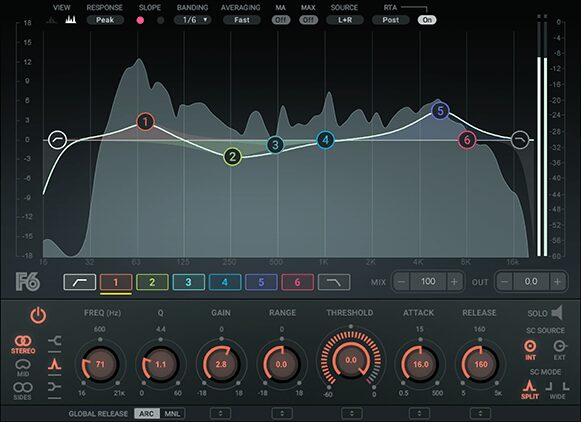
Waves F6 is the best Waves EQ plugin for mastering. It is a clean, versatile, minimum-phase tool for precise EQ moves and dynamic processing.
Tips:
- Use the Solo button to hone in on exactly the frequency you want to target.
- With a short attack, an F6 band boosts or cuts transients very effectively, which is how you control punch in a mastering context. With a longer attack, it stays transparent.
Waves L2 Ultramaximizer
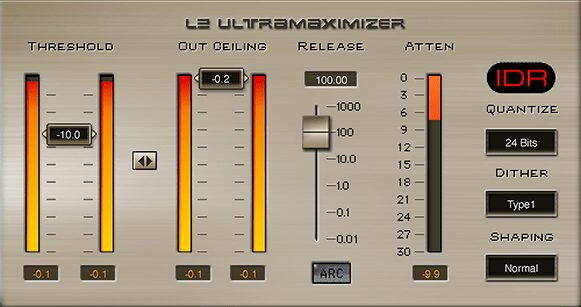
Waves L2 has been in my studio since the 2000s. At its core it combines peak limiting, level maximization and dithering in one package.
Back then it was the limiter mastering engineers reached for, and it shaped the sound of the era. It is not the most transparent limiter by today’s standards, and that is exactly why people still use it. The character is the point. It has stood the test of time.
Tips:
- ARC, the Adaptive Release Control, gives you a more transparent sound. For creative effects like pumping or intentional distortion, switch to manual release.
- A favourite trick: run the L2 in dual mono and listen to the stereo image widen and deepen.
Waves C6 Multiband Compressor
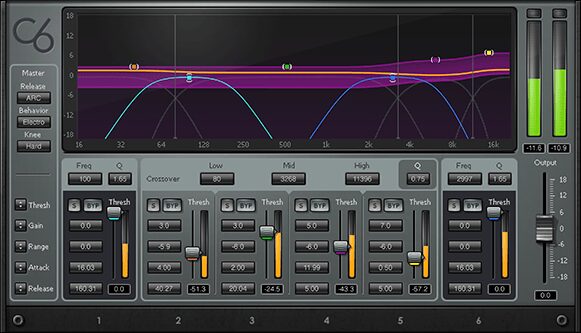
Waves C6 is a reliable, versatile friend for mastering. It gives you dynamic compression, expansion and EQ across six bands, so you can work specific frequencies independently. Four fixed bands, two floating, sidechain capability, and a clear paragraphic interface. It earns its place in a lot of professional toolkits and it costs less than many competitors.
Wondering whether to use the C6 or the Linear Phase Multiband Compressor? Keep reading. I cover the difference in the Linear Phase section below.
Tips:
- Control low-end dynamics. Multiband compression on the low end tames bass that would otherwise overpower certain playback systems.
- The C6 doubles as a de-esser. Target the sibilant frequencies in the upper mids for transparent control.
- Match attack and release to the tempo and character of the material, balancing transient control against punch, smoothness against aggression.
- Use Opto mode for natural, musical compression on sensitive material like vocals or the master bus.
- Watch the gain reduction meters and the Dynamic Line display so you do not over-compress.
Waves Linear Phase Multiband Compressor
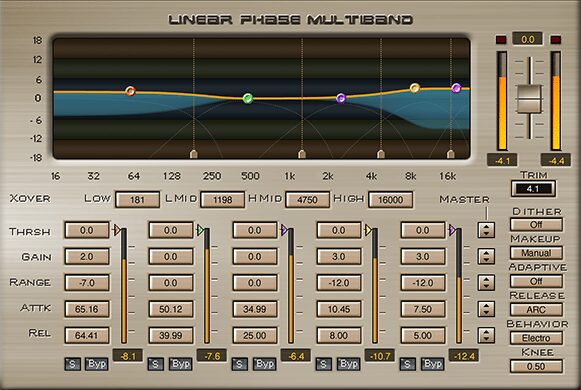
One of my secret weapons. The old Waves Linear Phase Multiband still more than holds its own. Do not let the archaic looks fool you. The GUI is clear and functional once you start working with it.
Linear phase technology preserves punch. A transient is many frequencies happening at the same instant. A typical non-linear filter shifts each of those frequencies differently in time and smears the transient. This plugin does not. It is well tuned for mastering, the controls are precise, it sounds great, and it is extremely cost-effective for the quality, if you wait for the discount.
Tips:
- ARC for easy, natural results. The Adaptive Release tends to land on transparent results effortlessly. Manual release is there when you need something else.
- Use it for transient recovery. A lot of premasters arrive squashed lifeless. Set a positive range value in the bands you want. For snap, go short on the attack.
- Soft against hard knee completely transforms how the compressor responds. Soft is smooth, hard gets aggressive, which is perfect for sharp transient shaping.
- Read the manual. The LinMB uses several specialized techniques, and the manual explains all of it in an educational way. It is long, which I appreciate.
Waves C6 against Waves Linear Phase Multiband Compressor
Both are valuable in mastering, and they suit different tasks because they process differently.
The C6 uses minimum phase processing, which can introduce a little phase distortion. It excels at specific, precise problems: taming a resonance, controlling a dynamic element, tightening the low end. In those jobs the phase distortion is usually negligible, which makes the C6 ideal for surgical work without disturbing the overall tonal balance.
The Linear Phase Multiband avoids phase distortion entirely but can introduce time distortion, mainly pre-ringing. That makes it right for broad, smooth, gentle tonal shaping where preserving the natural stereo image matters. Pre-ringing can be a problem with aggressive settings, especially in the low end, but not if you understand what you are doing.
So: C6 for specific issues that need precise control or a harder hand. Linear Phase Multiband for smooth, transparent shaping of the overall sound where phase coherence and imaging matter.
Waves Vitamin Sonic Enhancer
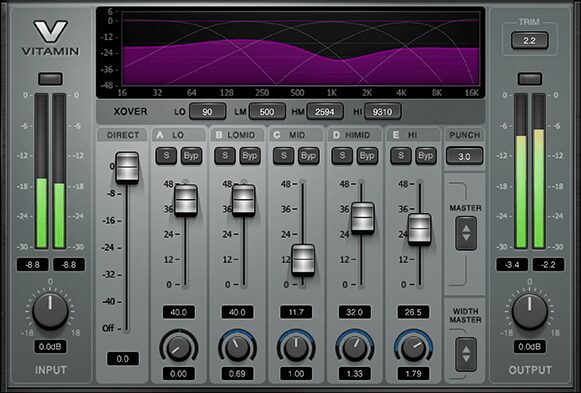
Sometimes you need colour and mojo. Vitamin is built for that. It is a multiband harmonic enhancer that can also add subtle punch and work the stereo image.
I have always liked the sound of it. Silky smooth, with a hint of aggression and edge underneath, which for mastering is usually exactly what you want. The controls are well designed and it is a joy to work with.
Tips:
- To make your low end mono, dial the stereo width of the Lo band to zero.
- Pull the Direct fader all the way down to hear only what Vitamin is adding. Very useful.
- Watch the input and output meters. Match levels with the output gain so you judge it honestly.
Waves Center
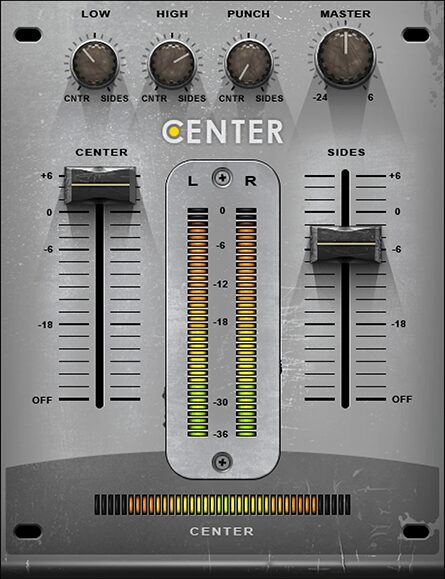
If you are not used to mid-side work, Waves Center is an easy, effective way in.
The two big faders set the relationship between Center (mid) and Sides (side) content. The Low and High knobs balance low and high-frequency content between the middle and the sides. The Punch dial focuses transient content toward the middle or the sides. A deceptively simple set of controls that shapes the impact of the material a lot.
Tips:
- Center is subtle. To find the right settings, turn the Center and Sides faders down in turn while you tweak the controls at the top. It makes what is happening much easier to hear.
- For punch, focus Low and Punch toward the center.
- To widen or narrow the image, push the Sides fader up or down.
Waves S1 Stereo Imager
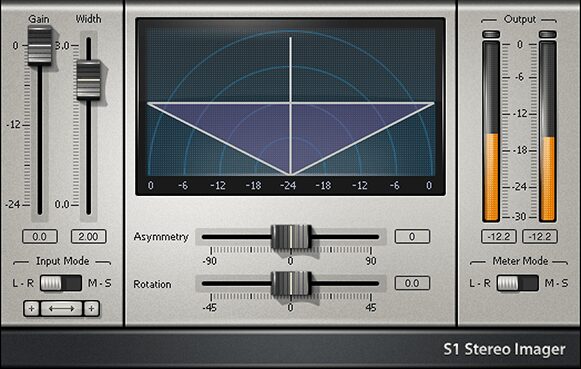
The S1 Stereo Imager is a classic of classics, and just as relevant now as it was 25 years ago. It enhances, readjusts and fixes problems in the stereo image, built on well-recognized, non-destructive engineering principles, so it will not produce unwanted side effects. That matters in mastering.
Beyond simple widening or narrowing, the S1 can fix an asymmetrical mix. You can re-balance the left and right components without moving the center image, or shift the center left or right without affecting the sides.
Tips:
- Enhance width subtly. Be careful with excessive widening, which leads to phase issues.
- Correct imbalances. If the image feels lopsided, rebalance left and right for a cohesive sound.
- Focus the center. If the mix feels weak because it is too wide, narrow the image to bring vocals and bass forward.
- Use the Shuffle feature to add dimension safely in the low end. The Freq control sets the frequency below which it applies. Shuffle is fully phase compensated, so it will not break mono compatibility.
- Shuffle can cost some perceived weight, because the low end gets spread wider. The Bass Trim control compensates for that, and it works well.
- The rotation feature shifts the stereo image, useful for correcting spatial issues or for a deliberate stereo effect.
Waves API-2500
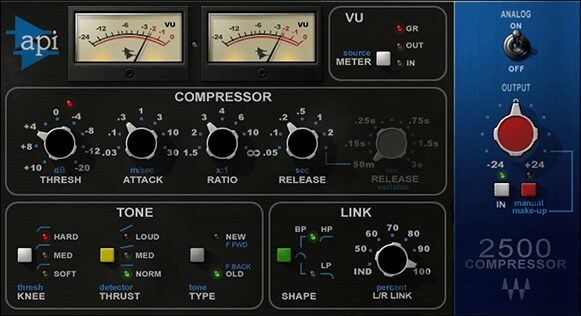
Waves API-2500 emulates the classic API unit, known for a punchy, musical sound. It is versatile, and it adds character and glue in mastering.
There are newer and more expensive models of this compressor now, and I have tried most of them. This Waves version holds its own, and it is the most punchy one I have used. Run a shootout and tell me what you think in the comments.
Tips:
- For big punch, try Hard Knee, Loud Thrust, New Type, 30 ms attack, 0.05 release. Set the ratio to taste. Do not overdo it in mastering.
- If you do go in hard, the mix control blends the dry signal back in for parallel compression.
- Tone shaping. It can preserve low-end energy or add brightness depending on what you need.
- For mastering I often turn the Analog switch off. You still get the dynamic action, with less coloration.
Waves Linear Phase EQ
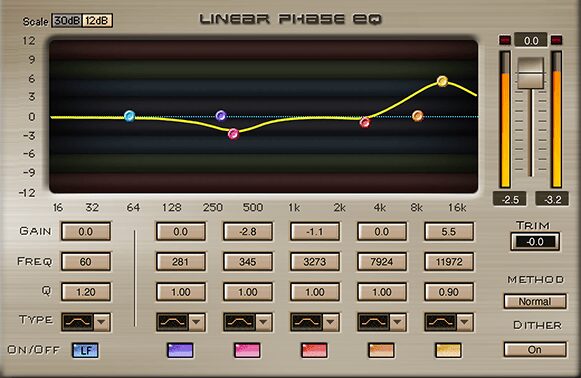
Waves Linear Phase EQ is a transparent equalizer, a go-to for mastering engineers who want to avoid introducing phase distortion.
The trade-off with linear phase processing is pre-ringing, an artifact where a sound appears to start slightly before it actually does. It gets more pronounced with stronger processing and is usually more noticeable in the low frequencies. Choose the right tool for the job and it will not be a significant issue once you understand how linear phase works.
Tip: The Method setting affects accuracy and gives you three options. Dial your EQ filters in first, then switch between the Methods to hear which you prefer. Accurate is the most precise filtering, best for jobs that need precision, but it can introduce audible coloration. Normal is a compromise between accuracy and coloration. Low Ripple avoids audible coloration at the cost of less precise filtering.
Waves Abbey Road TG Mastering Chain
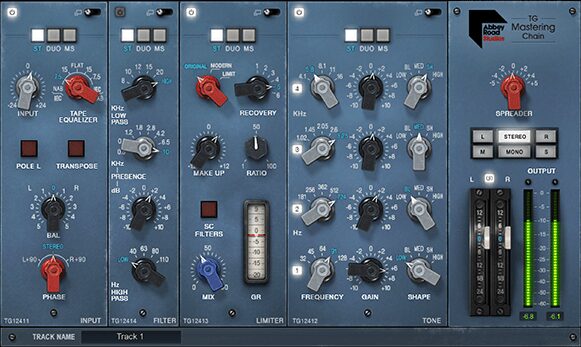
Waves Abbey Road TG models the vintage EMI TG12410 Transfer Console used in the Abbey Road mastering suites since the 70s, on albums like Pink Floyd’s The Dark Side of the Moon, Nirvana’s In Utero and Radiohead’s OK Computer.
It has filters, EQ, compression and stereo widening. The sections switch on and off, and you can change the processing order. There is a small learning curve, especially if you are not used to older analog gear or plugins modeled on it. Some of the controls, particularly on the compressor, are not instantly obvious. The upside: it forces you to listen carefully and decide based on what you hear. That is a good thing.
I included it because I love how it sounds, the compressor especially. It is very good for thickness and glue, or for subtle pumping movement, and the Mid/Side and sidechain options make it far more versatile than it first appears. Depending on the sound you want, it could be the best Waves compressor for mastering. The stereo widener can sound amazing with the right material, and the EQ is good too, vibey and quick.
Tips:
- Expand the modules for more functionality. The little switch is in the top right corner of each one. Easy to miss.
- Spend time with the compressor’s different modes, on different material. It also works well on individual tracks and group buses.
- It sounds rich, and it is easy to do too much. Watch for that. Mastering is about subtle enhancement.
- Work the output gain so the plugin’s output stays as loud as the bypassed signal. It keeps your before/after comparisons honest.
Waves SSL G-Master Buss Compressor
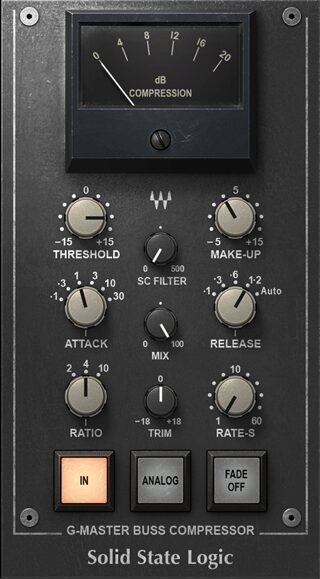
Waves SSL G-Master Buss Compressor is a digital recreation of the legendary SSL G Series console bus compressor, famous for gluing a mix together with punch and cohesion.
It is great for subtle pumping movement or glue compression, and it works well on drums too, not just the master bus. If you do not have a compressor like this yet and you can get it for a good price, it is a solid asset.
Tips:
- Glue the mix. Low ratio, slow attack, for that famous glue without losing the dynamic range.
- Set the threshold so it is only applying 1 to 2 dB of gain reduction. Subtle but effective.
- Auto release gives you a consistent response across different parts of the track, for a smooth, natural sound.
- A slow enough attack lets the transients through, preserving the punch of drums and percussion while you control the overall dynamics.
FAQ
What are the best Waves plugins for mastering?
The plugins covered above: the F6 Dynamic EQ, L2 Ultramaximizer, C6 Multiband Compressor, Linear Phase Multiband Compressor, Vitamin, Center, S1 Stereo Imager, API-2500, Linear Phase EQ, Abbey Road TG Mastering Chain and the SSL G-Master Buss Compressor.
What plugins should I use for mastering?
The basic tool types in mastering are EQs, single-band and multiband compressors, stereo image processors, transient shapers and limiters. Mastering is delicate, and it is easy to ruin music if you do not know what you are doing. Adopt a less-is-more approach with mastering plugins.
How do I install my Waves plugins?
Download and install Waves Central, log in, go to Install Products, select My Products, pick the plugin and click Install and Activate.
How do I uninstall Waves plugins?
In Waves Central, go to Settings, then Maintenance. The uninstall options are there.
Conclusion
Any further questions about these plugins? Let me know in the comments and I will get back to you. For broader reading, see my post on the best Waves plugins.
Prefer to leave the mastering to a professional? I have been mastering electronic music since 2009. Send a project.